Domain Mailbox
Send and receive email at your own domain, manage mailboxes and aliases, and use them in Webmail or a mail client.
Domain Mailbox lets you send and receive email at your own domain (such as sales@example.com). In the console you create mailboxes for your team and set up forwarding aliases. People then use their mailboxes in the browser through Webmail, or in clients such as Outlook, Thunderbird and phone mail apps.
The Domain email menu in the console's left-hand navigation has these entries:
| Menu | Use |
|---|---|
| Email domains | Add mail domains, see DNS settings, manage plans |
| Mailboxes | Create, edit and delete mailboxes, and reset passwords |
| Email aliases | Forward one address's mail to one or more mailboxes |
| Open Webmail ↗ | Webmail in the browser |
Plans
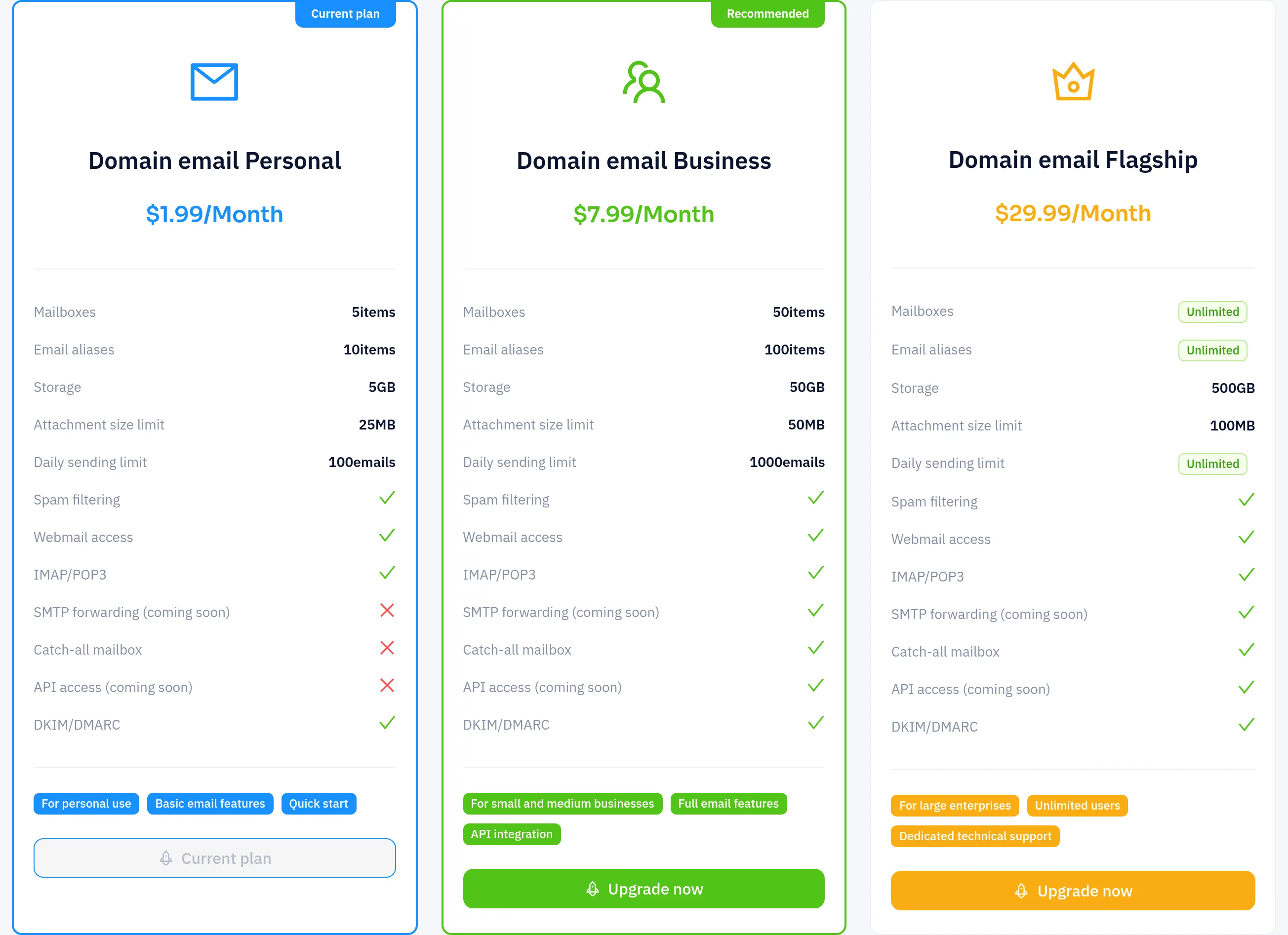
Each mail domain has its own plan subscription. At the time of writing there are three tiers: Personal, Business and Ultimate. They differ mainly in how many mailboxes and aliases each domain can have and in its total storage. The plan selection step shown when you add a domain lists the current limits and prices.
To compare plans or change a domain's plan, click Upgrade next to the plan in the Email domains list.
Next steps
- Domains, mailboxes, aliases and forwarding: add a domain, set up DNS, and create mailboxes and aliases.
- Mail client settings: use your mailbox in Webmail and in IMAP/POP3/SMTP clients.