Cloud Servers
KVM cloud servers and VDS: buy, connect, network, back up and reinstall.
Cloud Servers (EVM) are KVM virtual machines on Yeap Cloud. Each instance has its own CPU, memory and disks, and can have public IPv4/IPv6 addresses and a private VPC network. VDS plans give the instance dedicated physical CPU cores instead of shared ones.
What you can do
- Buy: pick a region, plan, image and login method on one page, then pay from your balance.
- Connect: SSH or Remote Desktop, or the browser-based VNC console and terminal. Log in as
root(Linux) orAdministrator(Windows). - SSH keys: keep keys in SSH Keys, bind them to instances and turn off password login.
- Network: public IPs, elastic IPs, VPCs with subnets, VPC peering, security groups and port forwarding.
- Snapshots & backups: disk snapshots, plus scheduled off-site Auto backup.
- Upgrade and reinstall: change the spec, expand disks, add IPs, or reinstall the OS.
Where to find it in the console
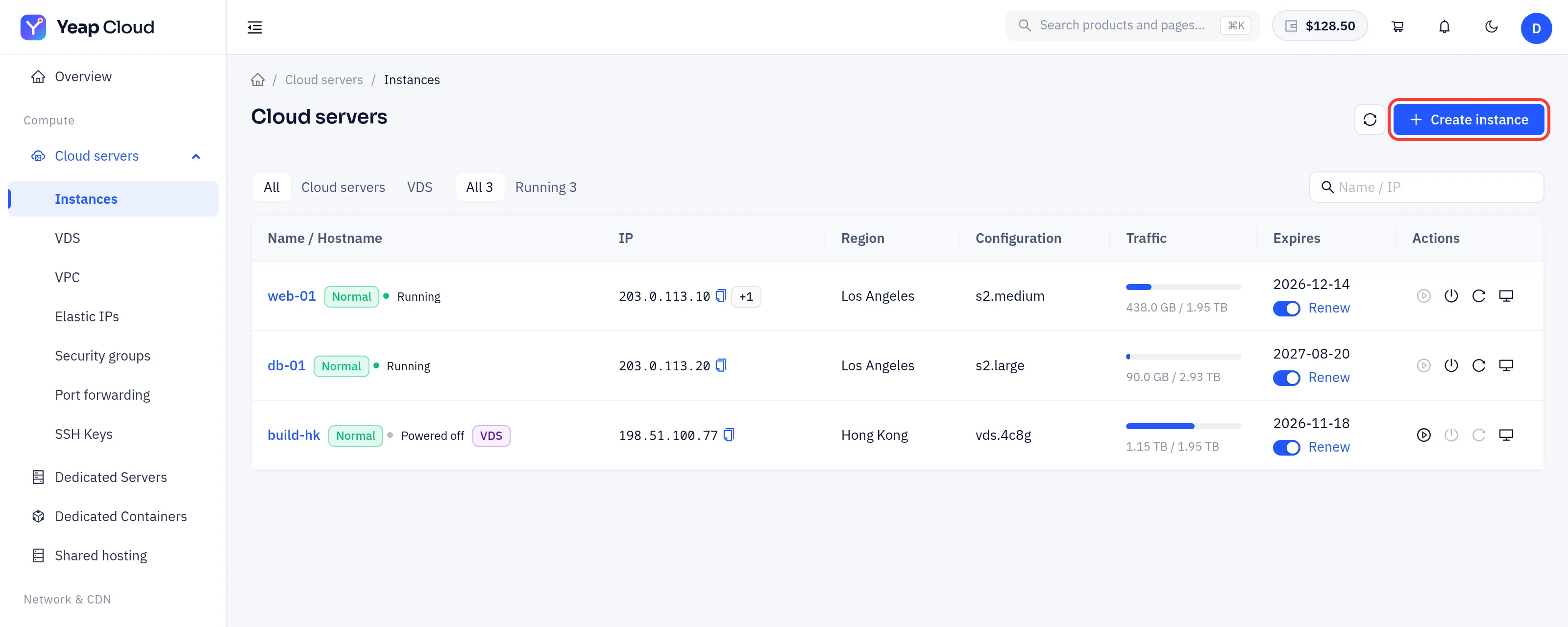
Open Cloud servers in the left-hand menu:
| Menu item | Purpose |
|---|---|
| Instances | Your instances; click one to open its detail page |
| VDS | Buy a VDS (dedicated physical cores) |
| VPC | Private networks, subnets and peering |
| Elastic IPs | Public IPs you can move between instances |
| Security groups | Firewall rules for instances |
| Port forwarding | Forward public ports to instances |
| SSH Keys | Your saved SSH public keys |
In this section
- Create a cloud server: the purchase page step by step, VDS
- Connect to a cloud server: login user, password, SSH keys, VNC and terminal
- Networking: IPs, VPC, peering, security groups, port forwarding
- Snapshots and backups: snapshots and Auto backup
- Reinstall and upgrade: reinstall the OS, change the spec
In this section
Create a cloud serverBuy a cloud server or VDS on one page: region, plan, image, login, add-ons, network, name and term.Connect to a cloud serverLog in as root over SSH, Remote Desktop, VNC or the terminal; reset the password and manage SSH keys.NetworkingPublic and elastic IPs, VPC subnets, VPC peering, security groups, port forwarding and traffic.Snapshots and backupsDisk snapshots for quick rollback, and scheduled off-site Auto backup.Reinstall and upgradeReinstall the operating system, change the spec, expand disks and add IPs.
Was this page helpful?